
Local AI for confidential documents: we tested Inkling-2-Mini on a Mac mini
Lee este artículo en español.
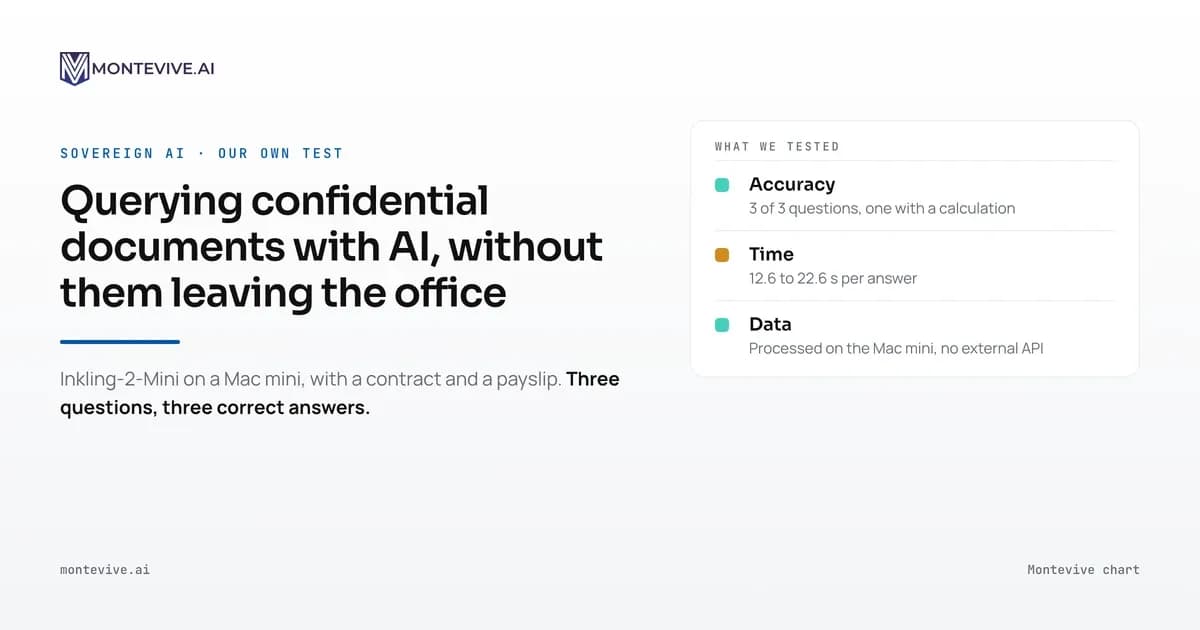
We asked an open AI model, installed on a Mac mini in our office, three questions about a confidential contract and payslip. It got all three right, in under 23 seconds each, without sending anything to an external API. The model is Inkling-2-Mini, released ten days ago.
Local AI is almost always compared with the cloud: is it cheaper, is it faster. But there is information many companies don't want to send to any outside provider, such as payslips, contracts or client files, and for that information the comparison doesn't help. The useful question is whether a model that fits on an office computer can already work with those documents.
What Inkling-2-Mini is
Inkling-2-Mini is a model from Thinking Machines, released on 17 November 2026 under the Apache 2.0 licence: you can download it, use it in a commercial product and modify it. It has 26.4 billion parameters, but each time it generates a piece of text it only uses 3.4 billion, because it activates part of the model depending on the task.
Its model card asks for a Mac with 32 GB of memory or more, so in theory it fits on an office computer. Unsloth's compressed version for running it locally passed 2.4 million downloads on Hugging Face in its first week.
The same model card warns that quality can drop outside English, and that support for this type of model in the programs that run it locally "is new", with a speed that "varies".
What we tested
Because of those two warnings, we tested it in Spanish and on our own machine: a Mac mini M5 Pro with 48 GB of memory, using Ollama, a free program for running models locally. It is a computer we use every day, with the browser, the code editor and other services open.
Questions about a contract and a payslip
We wrote two documents with made-up personal data and prices: a maintenance contract between two companies in Granada and the January payslip of a site manager. We gave the model each document with a question someone in an office would ask, and we knew the right answer in advance.
- "How long does the contract run, and how much notice is needed to stop it renewing?" It answered "until 31 January 2028", with 90 days' written notice. Correct.
- "If there are three critical faults this month not attended within 4 hours, what fee do we pay?" It answered €4,122.50 excluding VAT. Correct: the contract takes off 5% per fault, so it is €4,850 minus 15%.
- "Why is the employee's net pay so low this month?" It answered that, besides income tax and social security, a €300 December advance is deducted. Correct.
The second question took more than finding a figure: it meant reading two clauses and doing the sum.
The answers took between 12.6 and 22.6 seconds. Almost all of that time passes before the first word, because Inkling reasons before answering even when we ask it not to. Once it starts writing, it runs at about 15 tokens per second; a token is the word fragment these models use to measure text.
The machine's memory turned out to matter as much as the model. With everyday applications open, the Mac mini's memory filled up after a few dozen queries, and speed dropped to 2 tokens per second: a minute per answer. Neither restarting Ollama nor reloading the model fixed it. It got fast again once we closed applications.
Deciding which texts are confidential
We also ran the test we used in October to measure two text-classification models. It had to decide, among five confidentiality levels, whether a text can leave the company. There were 120 made-up texts, 50 of them sensitive, and 34 real excerpts from Spain's Official State Gazette.
It got none of the 154 wrong: it let no sensitive text through and flagged no public one as confidential. With so few and such clear-cut texts, that doesn't tell you how well it will do with yours. It took 11.6 seconds per text, so it fits batch processing, overnight for example, better than checking what someone types as they type it.
What your CEO, CTO and CISO would ask
CEO: what is it for, and what does it cost?
It lets you use AI on documents that aren't used with AI today because they mustn't leave the company. What we tested:
- Querying confidential documents: deadlines and penalties in a contract, the breakdown of a payslip.
- Classifying texts by confidentiality, in batches.
The model costs nothing: the Apache 2.0 licence charges nothing per use or per query. The cost is a dedicated machine and someone to maintain it, plus electricity, which we didn't measure. For an answer in about 20 seconds about a document you otherwise couldn't query with AI at all, we think that's a good deal.
CTO: what do I need to set it up?
- A machine just for the model. The model card asks for 32 GB of memory, but on a shared computer, as we saw with our 48 GB Mac mini, memory fills up and speed drops to a seventh.
- Expect about 20 seconds per answer with short documents, and more with long ones. It won't do for anything that has to answer in under a second.
- Being able to swap models. New open models come out every few weeks. With a program like Ollama you can change the model without touching the rest of the setup.
CISO: does nothing really leave?
- The text is processed on the machine. There is no external API in between. In this test we didn't audit Ollama's network connections: before putting it into production, your security team should check which connections the program opens, for example to look for updates.
- There is no international data transfer. If an AI provider processes the data outside the European Economic Area, the General Data Protection Regulation (GDPR, Chapter V) requires safeguards for that transfer. Locally there is none. But querying a payslip is still processing of personal data: your company, as controller, needs its legal basis and an entry in its record of processing activities.
- The model doesn't know who is asking. If HR and sales use the same machine, the model will answer anyone about any document it is given. Permissions have to be set by whoever builds the tool that feeds it the documents, as decided by the owner of each piece of information.
- Log the queries and who makes them, as with any access to those documents.
What this test doesn't tell you
- It is only a few questions. Three questions about two short documents show that it can do it, but not how often it gets it right. With long documents and ambiguous questions it can be expected to make more mistakes, so for any decision that matters a person should check the answer against the document.
- A single user. We don't know how it behaves with several people asking at once.
- The speed is that of a Mac mini in daily use, with Ollama. On a dedicated machine, or with another program, it may differ.
If you want to try it in your company
- Pick the documents nobody queries with AI today because they can't leave: contracts, payslips, files.
- Write 20 or 30 real questions from the people who use them, with the right answer.
- Run them on the machine it will work on, with whatever will be open on it.
- Check the answers one by one, especially those that require a calculation or combining two parts of the document.
- Decide with those numbers whether a dedicated machine pays off for you.
Which of your company's documents does nobody query with AI because they can't leave the building? Through our sovereign and on-premise AI services we help you choose the model, test it with your documents and set it up on your own infrastructure.
Sources
- Thinking Machines, Inkling-2-Mini model card on Hugging Face: licence, parameters, memory requirements and limitations.
- Unsloth, Inkling-2-Mini-GGUF, with its download count, accessed 27 November 2026.
- Regulation (EU) 2016/679 (GDPR), Chapter V: transfers of personal data to third countries.
- Montevive, Jev vs BERT: deciding better or deciding at home: protocol and texts of the classification test.
- Our own tests on 27 November 2026 on a Mac mini M5 Pro with 48 GB, using Ollama 0.40.17.
This article reflects the situation as of 27 November 2026. It is for information only and is not legal advice.
Get the AI Radar every Monday
The AI news that matters to your company, picked and summed up in a short email (in Spanish). Unsubscribe whenever you like.