
How to prevent data leaks to AI at your company: seven steps
Lee este artículo en español.
In short. To prevent data leaks to AI at a company, we propose seven steps, in this order: an inventory, a data traffic light, a one-page policy, an approved tool, a check before sending, training with real cases, and measurement. Each step rests on a specific rule (the GDPR, Spain's LOPDGDD or the EU AI Act), and none of them covers personal phones or connectors on its own.
Contents
- Seven steps to prevent data leaks to AI
- What a block or a technical control does not solve
- If data has already gone out: the first hour
- What you can do this week
- Frequently asked questions
- Where Moviwa fits, and where it does not
- Sources
A sales rep pastes a client's contract into ChatGPT to get a summary. A developer uploads a code snippet with an API key inside. Someone in HR copies the payroll spreadsheet to ask for an analysis.
They wanted to save time, and they have just sent sensitive information to a service the company has never assessed.
Banning it looks like the obvious answer. Samsung did exactly that in 2023, after engineers in its semiconductor division pasted source code and meeting notes into ChatGPT. According to The Korea Herald, the company then temporarily banned generative AI on the computers of its device division.
In June 2026, after testing them with around 2,500 employees, that same division opened ChatGPT, Gemini and Claude to its staff. Samsung frames it as part of its AI transformation, to gain productivity. What the case shows is that the ban was an interlude, and the way out was approved tools.
This guide is about what replaces the ban. If you first want to know what Shadow AI is, and why the underlying problem is traceability, start with our Shadow AI assessment.
Seven steps to prevent data leaks to AI
01 · Take stock of the AI already in use
Before writing a policy, find out which tools your team uses, what for and with what data. Cross-check three sources: a short survey, spending on subscriptions, and network or browser logs, if they exist and staff know they are in use.
The starting questions for the survey are in how to detect and control unsupervised AI use.
A survey on its own falls short: nobody over-reports, and many people do not call the assistant built into their usual software "AI".
Include what does not look like AI: the AI features in email or the CRM, browser extensions that read the pages you open, connectors with access to your files, and public links to shared conversations.
02 · Classify data with a traffic light
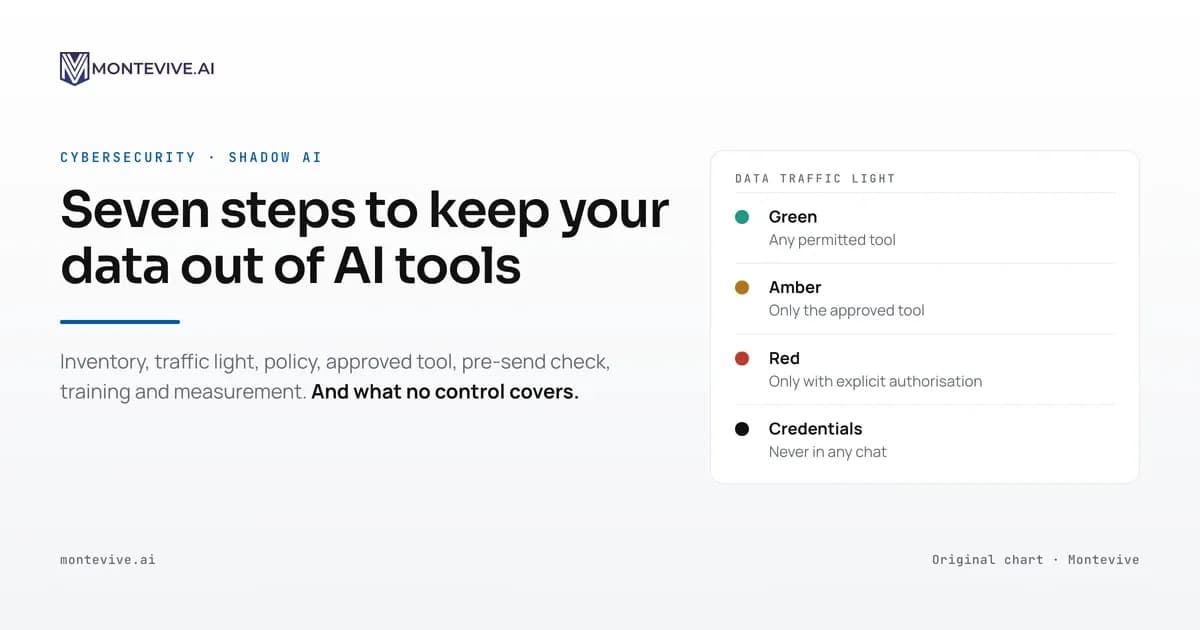
A data traffic light is a three-colour rule that says, for each type of company information, whether it can go into any permitted tool, only into the approved one, or into none without explicit authorisation.
"Do not share confidential information" cannot be applied, because everyone draws the line wherever they see fit. The traffic light draws it with examples, and sets one rule with no exceptions: passwords, keys and live tokens go into no chat at all, not even the approved one.
| Colour | What goes in | Examples | Where it can be used |
|---|---|---|---|
| Green | Public or made-up information | A text already published on your website, an Excel question, a test email with fictitious data | In any permitted tool |
| Amber | Internal information with no personal data or secrets | An internal procedure, the minutes of a team meeting with no client names, a draft presentation | Only in the approved tool, with a company account |
| Red | Personal data, contracts, prices, unpublished financials and proprietary code | The payroll spreadsheet, a contract signed with a client, a piece of the code repository | Only in cases authorised by whoever the policy designates (security or privacy), after assessing the risk |
Swap the examples for your own company's documents. Anyone unsure of the colour should treat it as red and ask.
03 · Write a policy that fits on one page
An AI use policy gets checked in the middle of the working day, which is why it has to fit on one page. It answers five questions:
- Which tools and which accounts are allowed?
- Which data cannot go in, and which needs authorisation?
- Where do people ask a question or request a new tool?
- Who do you tell if something goes out by mistake?
- Who approves new tools and new uses?
In Spain, if the policy sets rules for using company devices, article 87 of the LOPDGDD, the Spanish data protection act, requires workers' representatives to take part in drafting them. Staff must also be informed.
04 · Offer an approved alternative
This step decides whether the others work: if the official tool does the job worse than the shortcut, the shortcut wins. The same happens if only a few people get a licence: everyone else keeps using the shortcut.
A business plan changes the starting point. OpenAI says that in ChatGPT Business, Enterprise and Edu it does not use business data to train its models by default. Conversations follow the workspace's retention rules, which in Enterprise and Edu the administrator can adjust. Before opening the tool to your team, check:
- how much is kept, who can see it and what happens when someone leaves;
- the processor agreement, if the provider processes personal data on your company's behalf. Article 28 of the General Data Protection Regulation (GDPR) requires it to set out the subject matter, purpose and type of data, and to have the provider act only on your documented instructions. That agreement does not replace a lawful basis for the use;
- sub-processors, and whether data leaves the European Economic Area.
Note when you last reviewed the provider's terms, because they change.
05 · Put a check in place before sending
A technical control acts at the last moment a piece of data can still be stopped: just before it is sent. Depending on your setup, combine:
- data loss prevention (DLP) in the browser or on the device, set up with the red categories of the traffic light, to warn or block before sending. A network DLP that does not decrypt traffic only sees which service you connect to;
- managed browser policies, to limit which extensions can be installed;
- a warning embedded in documents that appears when they are pasted into an assistant, the technique we described in prompt injection against Shadow AI. It lives in your templates, with nothing to install, but it depends on the assistant following the instruction.
Before trusting a control, test it with your own texts and in your team's languages.
In August 2026 we published our measurement of Shieldstral, Mistral's open model that decides whether a text breaks a safety policy. With 1,392 texts translated into five languages, it caught 82 out of every 100 harmful messages in English and 59 in Basque.
False alarms stayed between 2.3% and 3.2% in all five languages. Nothing in them hinted that more than twice as much was slipping through in Basque as in English.
Log the minimum (service, data category and action) and tell your staff. In Spain, article 87 of the LOPDGDD only lets employers access the content of the devices they provide in order to check compliance with work obligations and to protect those devices.
06 · Train with cases from each team's work
Training also has a legal basis. Article 4 of Regulation (EU) 2024/1689, known as the AI Act, has applied since 2 February 2025.
Its current wording comes from Regulation (EU) 2026/1744, in force since 27 July 2026. It requires providers and deployers to take measures to support the AI literacy of their staff, without requiring a specific level for each person.
A short session with documents from your own sector teaches people to apply the traffic light, use the approved tool and prepare fictitious examples. How to tailor it by role is covered in our article on AI literacy and article 4 of the AI Act (in Spanish).
Replacing a name with "Client A" is not enough if the context gives the person away. Under recital 26 of the GDPR, pseudonymised data is still information about an identifiable person.
The OpenAI Privacy Filter demo we published in April 2026 runs entirely in the browser and helps show what an automatic filter catches and what it misses.
07 · Measure and review every six months
Four indicators give you a first picture:
- AI tools detected versus approved;
- warnings by category, with their false alarms;
- people trained and the most frequent questions;
- requests for new tools and how long the answer takes.
Also measure what the control lets through, by repeating the test with your own texts from time to time: a filter that blocks too much gets noticed straight away, and one that lets too much through does not.
The cadence we propose in our Shadow AI assessment is to review the policy every six months and to measure again about three months after training the team.
What a block or a technical control does not solve
Blocking domains or installing a filter lowers the risk, but leaves three gaps:
- Personal phones. An assistant on a phone, or a photo of the screen, falls outside any control installed on a company device.
- Connectors and assistants built into software you already use: the data moves from one service to another without passing through any text box.
- Judgement. A filter recognises an ID number or a key well. Deciding whether a summary of a sales strategy may go out is up to the policy.
We write about agents and connectors, which deserve an article of their own, on our blog.
If data has already gone out: the first hour
If someone has pasted something they should not have:
- report it through the agreed channel, without waiting for all the details;
- if it was a password, a key or a live token, revoke or rotate it now, because deleting the chat does not invalidate it;
- note what was sent, to which service, from which account and when, and ask the provider to delete it;
- ask whoever handles privacy to assess whether there is a personal data breach;
- once the urgency is over, review which control failed, as well as what the person did.
If there is a breach, your company, as data controller, must notify the competent supervisory authority without undue delay and, where feasible, within 72 hours of becoming aware of it.
That is article 33 of the GDPR, which only exempts breaches unlikely to result in a risk to people, and even then requires them to be documented. In Spain the authority is the AEPD, which explains the procedure on its breach notification page (in Spanish).
What you can do this week
- Ask your team which AI they use and what for, and review subscription spending.
- Write the traffic light with examples from your own documents.
- Publish a one-page policy, with a channel for questions and who to tell.
- Set up the approved tool with company accounts.
- Test a pre-send check where red data is handled.
- Review browser extensions and put a date on the training.
Frequently asked questions
Is a paid personal account the same as a business plan?
No. On personal ChatGPT accounts (Free, Plus and Pro), each person decides in their data controls whether their conversations are used to improve the models, and the company has no way to check the setting. On business plans, OpenAI does not train on business data by default.
Also, the history of a personal account leaves with the person when they leave the company.
Does deleting the conversation delete what I pasted?
Not right away. In ChatGPT business workspaces, OpenAI schedules a deleted chat for permanent deletion within 30 days, with published exceptions. It also warns that deleting a chat does not instantly remove everything related to it.
What do we do about AI built into software we already use?
Treat it as one more tool in the inventory. Assistants in email, office suites or the CRM can usually be switched on or off from the admin console. Decide whether they are on, for whom and with what data, and check that the contract covers AI use.
Where Moviwa fits, and where it does not
Moviwa, the security layer between your team and AI, is our product for step 05. Before a message reaches ChatGPT, Claude or Gemini, it detects names, ID numbers, amounts or code and hides them. The AI answers just as well, and the person sees the full answer on their screen.
It also keeps a record you can show a client or an auditor to explain how you control AI. It does not ban AI, it does not replace the policy, and it does not reach devices the company does not manage.
If you want to see it with your own case, book a 20-minute demo at moviwa.ai and bring fictitious examples. You will see what it detects, what warning the writer gets and how many false alarms it raises with your services.
Sources
- Samsung Newsroom Korea: Samsung Electronics steps up its AI transformation by adopting external generative AI (in Korean), 11 June 2026.
- The Korea Herald: Samsung bans AI chatbots after leak, May 2023.
- OpenAI: ChatGPT Work cloud security, Pricing and Data controls in ChatGPT, checked on 23 October 2026.
- Regulation (EU) 2016/679 (GDPR): recital 26 and articles 28 and 33.
- Spanish Organic Law 3/2018 (LOPDGDD), article 87.
- Regulation (EU) 2026/1744 (Digital Omnibus on AI), which rewrites article 4 of the AI Act. OJ L of 24 July 2026.
- AEPD: Personal data breach notification to the supervisory authority (in Spanish).
This article reflects the state of the regulations and of the providers' terms cited as of 23 October 2026. It is for information only and does not constitute legal advice.